Veracity for Class Maritime Portal
How to use Company administration
This application is only available for Admin users. From 'My dashboard' go directly to the application by clicking on 'Company Administration':
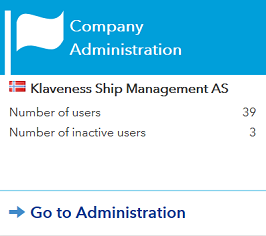
This takes you to the users list where you can manage the users in your company, create 'New user' or 'New admin', have access to all users registered on Veracity for Class and export this list to excel.
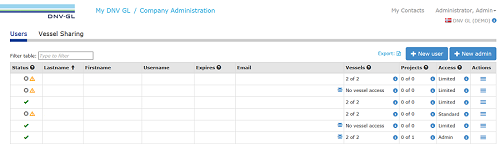
In the first column you can see the status for each user:
 ): No further action is needed.
 ): The user account has been set to Inactive. Go to 'Edit user details' to set the user account to Active.
 ): The user account do not have a DNV GL id. Go to 'Edit user details' and click 'Save'. This will create a new id.
 ): The user account is locked because of too many failed login attempts. Go to 'Edit user details' to unlock the user account.
 Shows the expiry date if the user account is temporary.
The number of projects or vessels the user has access to is shown in the 'Vessels' or 'Projects' column. Click on the icon ( ) to see the list of vessels or designs. You can also select or deselect any vessels or projects here.
The Access column shows the type of user:
Click on the icon () to see the list of services. You can also select or deselect any services here.
Click on the icon ( ) to get access to the following actions:
You have to click on 'Change access to Standard' in the Action Menu to change the user type to a Standard user.